


InColor is one of the most creative coloring apps available right now, especially for users who want more than a basic color-by-number experience. It gives you full control over your colors, letting you paint freely, blend shades, and treat each page like a real digital canvas. With stylus support, AI-generated coloring pages, and an active community for sharing artwork, it feels closer to a full-featured drawing app than a traditional coloring tool.
That said, InColor isn’t the perfect fit for everyone. Some features are locked behind a subscription, and the free version often encourages upgrades through ads and paywalls. So if you’re looking for something more affordable, less restrictive, or simply different in style, it helps to know what else is out there.
To make that easier, we ranked and reviewed the best InColor alternatives — whether you want a true paint-by-number app, a more beginner-friendly option, or another creative platform with fewer limitations.
1. ColoringHub
ColoringHub is a free, browser-based coloring platform that keeps everything simple and accessible. You can download printable coloring sheets or color directly on the website using the built-in editor—no login, no sign-up, and no software installation required.
The volume of content is impressive. ColoringHub features more than 950 articles, each containing an average of 100+ coloring pages, resulting in tens of thousands of free designs. It’s a range of options you rarely see—especially without any subscription.
Content is organized into three main sections: Kids, Kawaii, and Mandala & Patterns, making it easy to find something suited to your style or skill level. Categories include animals, nature, holidays, florals, and plenty of other themed collections.
The site works smoothly on any modern browser. The in-browser coloring editor performs best on desktop, though mobile users can still browse and download printable PDFs without any issues.
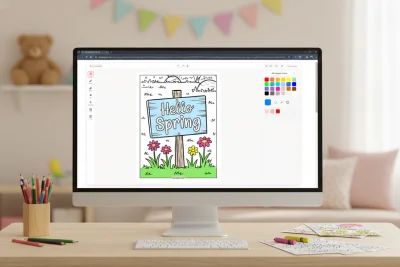
The Online Coloring Tool
ColoringHub’s digital coloring tool is built for ease and clarity. The layout is clean—tools appear on the left, general controls on the top, and color options on the right—so everything feels tidy and approachable.
Core features include a fill bucket, several brush styles (brush, marker, splatter, highlighter, glitter), customizable brush size and opacity, an eraser, pan and zoom tools, plus undo/redo. Finished pieces can be downloaded or printed straight from the editor.
Color options are surprisingly flexible for a free tool. You can choose from preset palettes, make your own palettes, enter precise hex codes, sample colors with the eyedropper, or use the randomizer for quick inspiration.
The tool is still in Beta, and there’s a simple feedback button if you want to share suggestions.
What Works Well
- Completely free. No subscriptions, paywalls, or required registration.
- Massive content selection. Tens of thousands of pages across many themes and aesthetics.
- Two ways to color. Print designs or use the digital coloring tool right in your browser.
- Instant-print PDFs. Ideal for teachers, families, and offline coloring sessions.
- Simple but capable tools. Multiple brush types with customizable settings.
- Fast performance. Pages load quickly and the coloring experience feels smooth.
- Accessible worldwide. Multi-language support helps users across different regions.
Things to Keep in Mind
- Best for single-session coloring. The tool doesn’t save ongoing work yet, so it’s best for completing a page in a single session.
- Desktop-optimized editor. Mobile visitors can browse and download easily, but the coloring experience is best on a computer.
- AI-assisted illustrations. All illustrations are AI-generated, which matters if you prefer traditional hand-drawn pieces.
- Ads underwrite the free service. You’ll see ads on the site, though they’re usually not distracting.
- Active development. As a Beta tool, updates and improvements are ongoing.
Bottom Line
ColoringHub stands out as a fully open, hassle-free resource for free coloring content. With its enormous library, instant printables, and simple web-based editor, it offers accessibility that’s tough to match.
It’s especially useful for quick coloring breaks, classroom activities, or anyone who prefers not to install apps or create accounts. While it won’t match premium apps with advanced features or cloud storage, that isn’t its goal. Instead, it offers variety, convenience, and excellent value at no cost.
If you’re looking for free coloring pages with nothing in the way, ColoringHub is a great recommendation.
Best for: Free printable pages, parents and teachers, browser-based coloring fans, one-session colorists, anyone who wants instant access without accounts.
Skip if: You need progress saving, prefer mobile-first tools, want exclusively hand-drawn artwork, or require pro-level features.
2. Cozy Cottage Coloring: Chroma
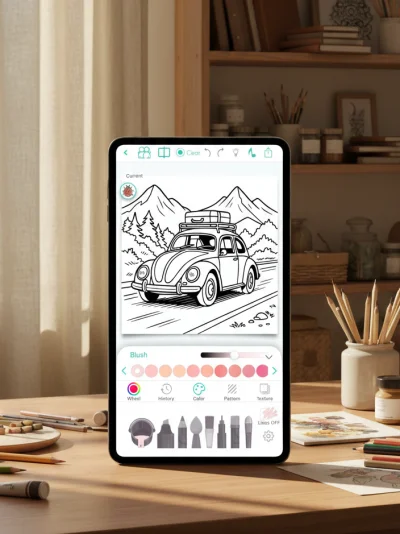
Chroma is a polished, sophisticated coloring app built for adults who want advanced control and more expressive tools. You can color stroke-by-stroke using realistic pencils, markers, brushes, and watercolor, or switch to tap-to-fill when you want a faster workflow. Everything is crafted to make digital coloring mimic the feel of traditional art materials.
The app offers thousands of coloring pages spanning classic categories like mandalas, florals, animals, fantasy designs, and portrait art. You can also generate custom pages with AI, turn photos into outlines, color in real time with a friend, and export a short time-lapse video that captures your entire coloring process from start to finish.
What Works Well
- High-end tools. The brushes deliver natural textures with customizable size and opacity, giving each stroke more dimension and realism.
- Artistic flexibility. Stay inside the lines or draw freely, with gradients, textures, a complete color wheel, and curated palette options.
- Time-lapse recording. Save and share a quick video summary of your coloring session.
- Buddy mode. Collaborate live on the same page with another user.
- Community features. Post your finished pieces to the Chroma Gallery and connect with fellow artists.
- Apple Pencil compatibility. Smooth, accurate performance on iPad.
Things to Keep in Mind
- No free version. Chroma requires an upfront purchase—there’s no free tier or trial option.
- iOS-exclusive. The app isn’t available on Android devices.
- Includes some AI-generated art. Not all pages are traditionally hand-drawn, which may matter if you prefer purely human-made illustrations.
Bottom Line
Chroma stands out for its professional-grade tools, lifelike textures, and community features like real-time collaboration and time-lapse exports. The lack of a trial option is a drawback, but many users feel the premium experience justifies the price.
Best for: iOS users, Apple Pencil fans, adults wanting high-quality coloring tools, and anyone who enjoys collaborative or social coloring.
Skip if: You prefer to test apps before buying, use Android, need a free option, or are working with a tight budget.
3. Adult Coloring Book – Pigment
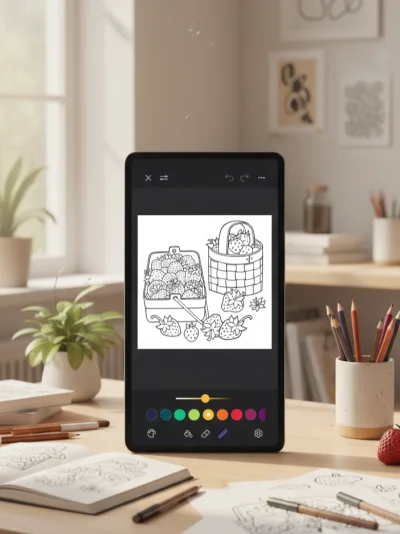
Pigment is widely recognized for its exceptionally lifelike pencil, marker, and brush effects, offering one of the closest digital recreations of traditional coloring tools.
The app includes more than 10,000 professionally illustrated, hand-drawn pages made by independent artists, with new additions arriving every day. You can color using several modes: quick tap-to-fill, full freehand control, clean automatic edges, or an advanced option for maximum precision. Pigment also includes a short in-app tutorial to help newcomers learn the basics with ease.
What Works Well
- Highly realistic tools. Pencil, marker, and brush strokes behave and blend like real-world mediums.
- Extensive library. Over 10,000 illustrations with daily updates.
- Hand-drawn artwork. Content comes from independent creators rather than generic auto-generated sources.
- Varied coloring modes. Everything from fast auto-fill to detailed advanced settings.
- Engaged community. Share artwork and explore tutorials through the Pigment Gallery.
- Apple Pencil support. Excellent pressure and tilt responsiveness on iPad.
- Beginner-friendly tutorial. Quick, helpful, and easy to follow.
Things to Keep in Mind
- Restricted free tools. Many brushes are accessible only with a premium subscription.
- Advanced color tools locked. Full color wheels and custom palettes require a paid plan.
- Strong focus on premium. The free tier can feel quite limited.
- iOS-only. There’s no Android release.
- Auto-renew trial. The free trial converts to a subscription unless canceled beforehand.
Bottom Line
Pigment delivers on its reputation with hyper-realistic tools, a huge hand-drawn catalog, and features geared toward dedicated colorists. However, much of its best functionality is behind a paywall, which may frustrate casual users or those seeking a fully free experience. For frequent colorists and anyone who values traditional-media realism, the premium tier can be worth it; occasional users may find the cost harder to justify.
Best for: iOS users committed to digital coloring, Apple Pencil artists, adults seeking realistic traditional-media simulation, and those open to paying for premium features.
Skip if: You use Android, want full access without subscribing, color infrequently, dislike subscriptions, or prefer completely free apps.
4. Lake: Coloring Book
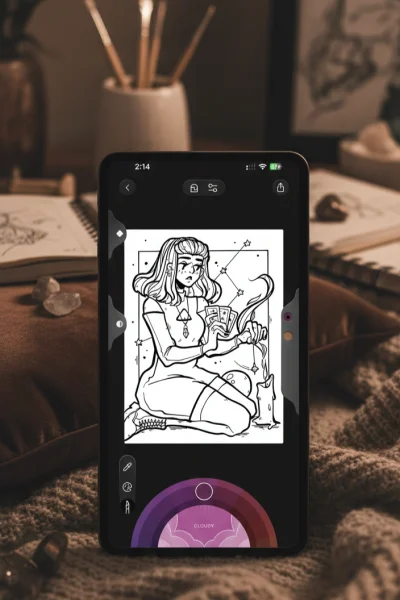
Lake: Coloring Book is designed to be more than a standard coloring app—it feels like a soothing creative space that blends art-making with mindfulness and community. The app showcases hand-drawn illustrations by independent artists and promotes slow, intentional coloring rather than quick, casual page-filling. The interface is cheerful and inviting, and a guided tutorial walks you through the tools right from the start.
What really differentiates Lake is its focus on purpose and craftsmanship. The collection is carefully curated, the brushes offer natural textures with realistic shading and blending, and the color system stands out with more than 700 hues, mood-inspired palettes, a color picker, and an eyedropper tool.
What Works Well
- Beautiful hand-drawn designs. Every illustration is created by independent artists.
- Creator-centered model. Subscription earnings directly support the artists who contribute content.
- High-quality brush tools. Realistic textures with adjustable size, opacity, shading, and blending.
- Helpful instructional videos. Learn practical techniques instead of relying on trial and error.
- Consistent curated updates. Monthly new sets and Book of the Week challenges keep the content fresh.
Things to Keep in Mind
- Limited free tier. The free experience feels closer to a brief preview than a full offering.
- Subscription required. Most tools and the full collection are locked behind a paid plan.
- iOS-only. Lake isn’t available on Android devices.
- Smaller library. With around 1,500 pages, it’s more compact compared to larger competitors.
- Higher premium price. Subscription costs are steeper than on simpler coloring apps.
Bottom Line
Lake: Coloring Book stands out for its artist-centered philosophy and wellbeing-focused experience. The artwork is lovely, the tools are thoughtfully designed, and extras like mood-based palettes and soft ASMR-like sounds deepen the sense of relaxation. However, it is heavily oriented toward premium users, with minimal free content and a relatively small library. It’s ideal for those who value curated, meaningful artwork and don’t mind a subscription to access everything.
Best for: iOS users who want to support independent artists, adults seeking mindful or wellness-oriented coloring, people who care about quality over sheer volume, and users comfortable with premium pricing.
Skip if: You’re an Android user, want extensive free content, prefer huge libraries, or want to avoid subscription fees.
5. Happy Color
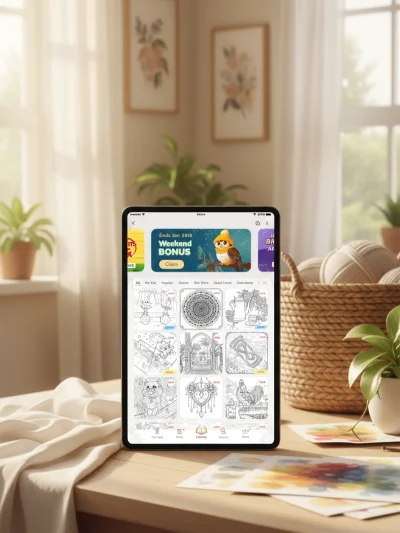
Happy Color is a paint-by-number app—meaning you won’t be choosing colors or making artistic decisions yourself. You simply tap the numbered spaces, and the app fills them automatically with the corresponding color. It includes over 15,000 free designs across a wide range of themes, plus special Disney and Marvel collections and daily new releases to keep things fresh.
The challenge isn’t picking shades but tracking down every tiny numbered segment—especially in intricate illustrations packed with hundreds of minuscule areas. That complexity makes the experience engaging and generally more fitting for adults, as many images may feel too detailed or fiddly for younger children.
What Works Well
- Massive free catalog. With 15,000+ designs, you won’t run out of choices.
- Strong zoom function. Helps tremendously when hunting for small sections.
- Effortless relaxation. Ideal for unwinding without needing to plan or select colors.
- Ads aren’t overwhelming. They appear, but they’re manageable—and a one-time payment removes them entirely.
Things to Keep in Mind
- No color freedom. Shades are predetermined, so you simply follow the numbers.
- Rising AI usage. Some newer images can feel a bit less polished.
- More advertising lately. Pop-ups between pages have become more frequent.
Bottom Line
Happy Color offers calming, straightforward paint-by-number fun with zero creative pressure. Its huge selection and smooth mechanics make it easy to sink into for long stretches. Just be aware that the app has leaned more heavily into AI artwork and increased ad frequency over time. Still, for simple, low-effort coloring, it remains a reliable choice.
Best for: Adults who want relaxing coloring without choosing colors or making artistic decisions.
Skip if: You want full creative control, are sensitive to AI-generated art, or dislike frequent ads.
6. Color Pop
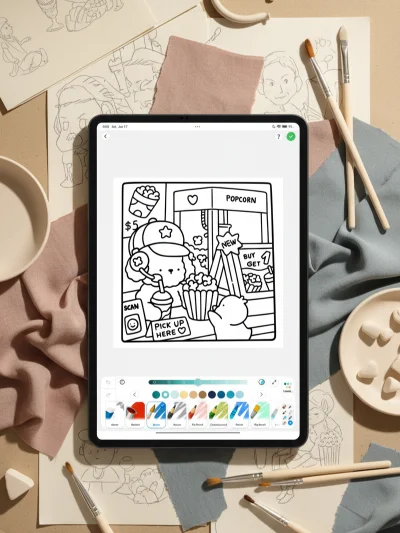
Color Pop leans into a more artistic approach. Rather than depending on tap-to-fill, it offers realistic painting tools like watercolor, oil brushes, and blending effects. The experience feels much closer to digital illustration than casual coloring—especially for those who enjoy experimenting with texture and technique.
What Works Well
- Advanced painting options. Watercolor, oil, and blending brushes provide real creative versatility.
- Expansive library. Plenty of categories and pages to explore.
- AI-powered page creation. Generate custom coloring sheets whenever you want.
- Freehand mode. Draw original art, not just fill in pre-made outlines.
- Community integration. Share your work and find inspiration from other creators.
- Line lock feature. Helpful for clean fills or more expressive painting styles.
- User-friendly design. Sleek, smooth, and intuitive to use.
Things to Keep in Mind
- Subscription required. The app is paywalled—there’s no fully free version.
- Ads during trial. The trial period includes a noticeable number of ads.
Bottom Line
Color Pop shines with its painting-focused toolset, AI-generated pages, and creative freedom that goes well beyond typical coloring apps. It’s ideal for users who enjoy digital art techniques and don’t mind subscribing for continued access.
Best for: Adults wanting advanced painting and coloring tools, users curious about AI-generated artwork, and anyone comfortable with subscription-based apps.
Skip if: You need a free app, dislike ads or subscriptions, or prefer simple tap-to-fill coloring.
7. Coloring Games: Color & Paint
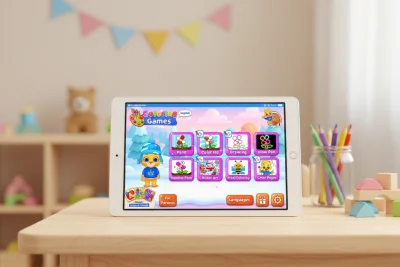
Coloring Games: Color & Paint is designed specifically with young children in mind. The interface is bright, playful, and easy to navigate, with cheerful sound effects that motivate kids as they color. Every element feels intentionally crafted for early-age users.
The app offers several simple coloring methods. Kids can tap to fill shapes, swipe to paint, doodle freely with basic tools, or follow paint-by-number prompts for guided results. The artwork focuses on approachable themes like animals, toys, and simple shapes—ideal for small hands and early learners. After downloading, the app works entirely offline, so children can color without needing Wi-Fi.
What Works Well
- Completely ad-free. No pop-ups or accidental ad taps.
- No purchases inside the app. Everything is unlocked from the start.
- Educational value. Supports color learning and fine motor skill development.
- Privacy-centric. Collects no personal data and follows kid-safe design standards.
- Multiple creative modes. Offers variety while still staying simple for children.
Things to Keep in Mind
- Purely child-focused. The bright visuals and sound effects are created for kids, not adults.
- Intentionally simple artwork. Designs are basic on purpose, not detailed or intricate.
Bottom Line
Coloring Games: Color & Paint delivers a truly safe, fully unlocked, and ad-free coloring environment for young kids. It avoids common monetization issues while offering enough variety to keep little ones engaged. Parents can confidently let children use the app knowing there are no ads, no purchases, and no privacy risks.
Best for: Preschoolers and early elementary kids, children with special needs, and parents who value privacy and ad-free digital experiences.
Skip if: You want adult-oriented coloring, detailed artwork, or more advanced art tools.