
Color Pop brings something different to the coloring app space. Instead of the usual tap-to-fill mechanics, it leans into real painting tools—watercolor brushes, oil paint effects, blending options—that make the experience feel more like digital art than casual coloring. Throw in AI-generated pages, freehand drawing, and a polished interface, and it’s easy to see why it’s caught people’s attention.
But here’s the thing: Color Pop requires a subscription to use, and even the free trial comes with ads. For some, that’s a non-issue. For others, it’s a dealbreaker.
So we went looking. We tested the top coloring apps on the market, compared their tools, pricing, and overall experience, and ranked them against Color Pop to see how they stack up. Whether you’re sold on Color Pop and just want validation, or you’re hunting for a better fit, here’s what we found.
1. ColoringHub
ColoringHub is a free, browser-based coloring platform that prioritizes simplicity and ease of access. You can either grab printable coloring pages to download or color them directly online using the built-in tool—no account creation, no registration, and no app installation needed.
The sheer volume of content is remarkable. ColoringHub features over 950 articles, each containing an average of 100+ coloring pages, adding up to tens of thousands of free designs. That kind of variety is uncommon, particularly when there’s no paywall involved!
Everything is thoughtfully organized into three core sections: Kids, Kawaii, and Mandala & Patterns, which makes it simple to discover something suited to your taste or ability level. Categories span from animals and nature to holidays, florals, and numerous other collections.
The website runs smoothly on any modern browser. The online coloring tool currently performs best on desktop, though mobile users can still explore and download printable PDFs without any trouble.
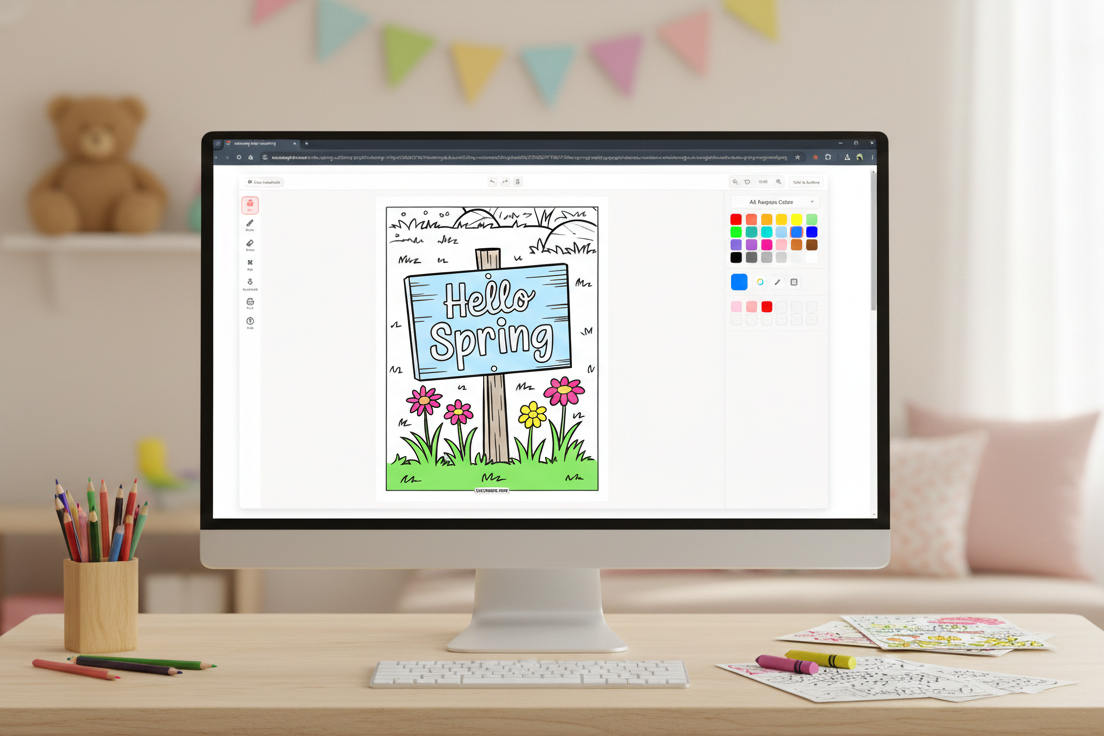
The Online Coloring Tool
ColoringHub’s online coloring tool is built to be intuitive and user-friendly. The interface is clean, with tools positioned on the left, controls running along the top, and color selections on the right, so everything stays organized and easy to navigate.
You’ll have access to essential features including a fill bucket, multiple brush options (brush, marker, splatter, highlighter, glitter), adjustable brush size and opacity, an eraser, pan and zoom functions, and undo/redo buttons. Completed pages can be downloaded or printed straight from the tool.
Color choices are impressively versatile for a free platform. You can select from preset palettes, create your own custom palettes, input hex codes for exact colors, pick colors using an eyedropper, or try the randomizer for quick creative ideas.
The tool is currently in Beta, and there’s a simple way to submit feedback if you’d like to contribute to future enhancements.
What Works Well
- Entirely free to use. No paywalls, subscriptions, or registration needed.
- Huge content collection. Tens of thousands of coloring pages spanning various styles and themes.
- Dual coloring modes. Print at home or color digitally in your browser.
- Ready-to-print PDFs. Perfect for classrooms, families, and offline coloring activities.
- Straightforward yet effective tools. Multiple brushes with size and opacity adjustments.
- Responsive performance. Pages load fast and coloring feels fluid.
- Globally accessible. Multi-language support ensures worldwide usability.
Things to Keep in Mind
- Ideal for single-session use. The online tool doesn’t yet support saving progress, so it’s best when you can complete a page in one go.
- Desktop-optimized coloring tool. Mobile users can browse and download with ease, but online coloring currently works best on a desktop.
- AI-generated artwork. All illustrations are created with AI assistance, which may be a consideration if you exclusively prefer hand-drawn designs.
- Ad-supported platform. Ads appear on the site to keep it free, though they’re typically non-intrusive.
- Continuous development. Since the tool remains in Beta, updates and improvements are actively being rolled out.
Bottom Line
ColoringHub excels as an open, hassle-free resource for free coloring content. With a vast library, instant printable pages, and a browser-based coloring tool, it provides a level of accessibility that’s tough to match.
It’s particularly well-suited for quick coloring sessions, classroom activities, or anyone who prefers not to install an app or set up an account. While it won’t replace premium coloring apps offering advanced features or cloud storage, that’s not its goal. Instead, it delivers tremendous variety, user-friendly design, and real value at absolutely no cost.
If you’re looking for free coloring pages without any hurdles, ColoringHub is a solid choice.
Best for: Free printable coloring pages, educators and parents, browser-based coloring enthusiasts, quick single-session coloring, users seeking instant access without accounts.
Skip if: You require progress saving, prefer mobile-focused coloring tools, want exclusively hand-drawn artwork, or need advanced professional features.
2. Cozy Cottage Coloring: Chroma
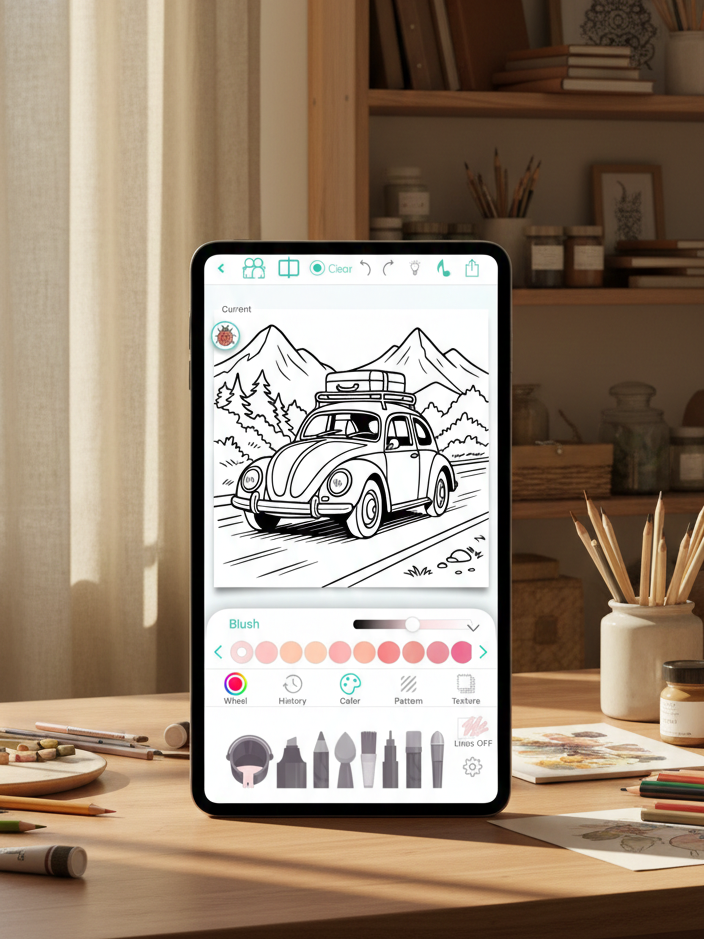
Chroma is a refined coloring app built for adults seeking greater control and superior tools. You can color stroke by stroke with realistic pencils, markers, brushes, and watercolor effects, or opt for tap-to-fill when you want something faster. Everything feels deliberate, and the emphasis is on making digital coloring mirror the traditional experience as closely as possible.
The app provides thousands of coloring pages spanning popular categories like mandalas, flowers, animals, fantasy, and portraits. You can also create custom pages using AI, convert photos into coloring pages, color alongside a friend in real time, and watch your entire coloring session as a short time-lapse video.
What Works Well
- Premium-quality tools. Brushes feature realistic textures with adjustable thickness and opacity, making coloring feel authentic rather than flat.
- Creative versatility. Stay inside the lines or go freehand, with gradients, textures, a complete color wheel, and curated palettes.
- Time-lapse capture. Easily share your coloring journey as a short video clip.
- Buddy coloring. Work on the same page with someone else simultaneously.
- Community features. Share your creations in the Chroma Gallery and engage with fellow artists.
- Apple Pencil compatibility. Delivers smooth, precise performance on iPad.
Things to Keep in Mind
- No free option. Payment is required upfront—there’s no trial or limited free tier available.
- iOS exclusive. Not accessible on Android devices.
- Some AI-generated artwork. Not every illustration is hand-drawn, which may not suit all preferences.
Bottom Line
Chroma distinguishes itself with professional-level tools, realistic textures, and creative features like buddy coloring and time-lapse playback. Although the absence of a free trial is a downside, its strong ratings indicate most users believe the quality is worth the cost.
Best for: iOS users, Apple Pencil owners, adults seeking premium coloring tools, and those who enjoy social or collaborative coloring.
Skip if: You prefer trying before purchasing, use Android, favor free or freemium apps, or are watching your budget.
3. Adult Coloring Book – Pigment
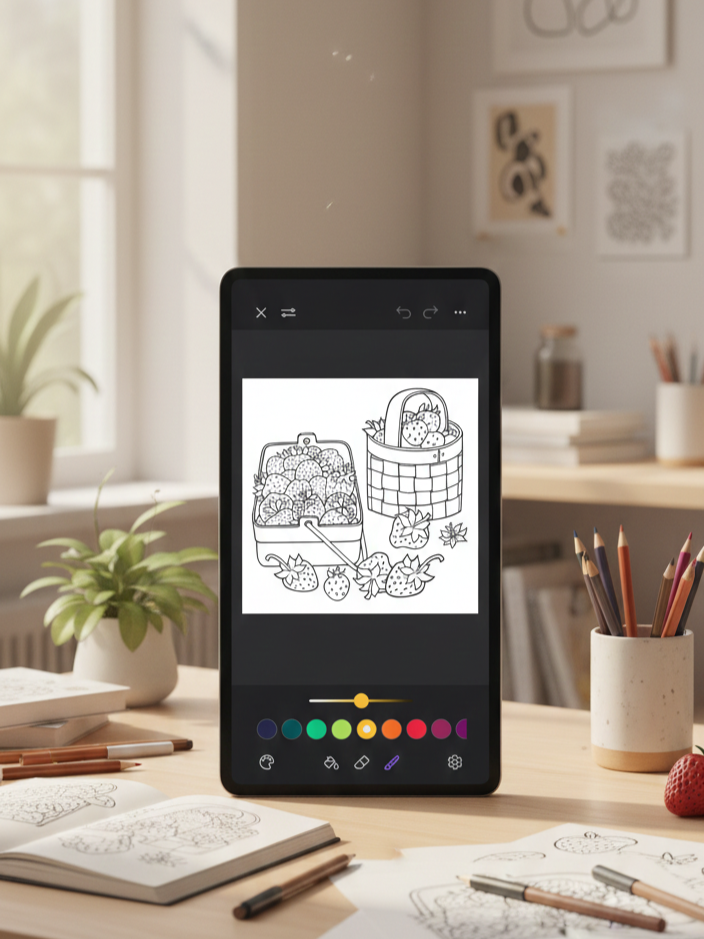
Pigment is renowned for its remarkably realistic pencil, marker, and paintbrush simulation, making it one of the most authentic digital alternatives to traditional coloring. It’s crafted for adults who prefer a more tactile, artistic approach.
The app provides access to over 10,000 professionally illustrated, hand-drawn pages from independent artists, with fresh content added every day. You can color using multiple modes: tap-to-fill for quick results, freehand for complete control, automatic for crisp edges, and advanced mode for more detailed work. Pigment also features a brief in-app tutorial to help newcomers get started without hassle.
What Works Well
- Highly realistic tools. Pencil, marker, and paintbrush strokes look and respond like actual art supplies.
- Huge content library. Over 10,000 pages with new additions daily.
- Hand-drawn artwork. Pages are crafted by independent artists, not generic stock designs.
- Multiple coloring modes. Select your preferred level of control, from automatic to advanced.
- Supportive community. Share creations and browse tutorials in the Pigment Gallery.
- Apple Pencil support. Functions seamlessly with pressure and direction sensitivity.
- Beginner-friendly tutorial. Quick and useful without feeling excessive.
Things to Keep in Mind
- Limited free tools. Many brushes are locked behind the premium subscription.
- Color tools require a premium. Full-color wheels and custom palettes aren’t available to free users.
- Heavy premium push. The free version can feel quite limited.
- iOS only. Not available on Android.
- Auto-renewal trial. Free trial automatically converts to paid unless you cancel.
Bottom Line
Pigment has earned its solid reputation through realistic tools, an extensive hand-drawn library, and professional-grade features. That said, most of its standout tools are gated behind a subscription, which can feel restrictive for free users and expensive for casual colorists. If you color frequently and want top-tier realism, the premium plan is worthwhile—but occasional users may struggle to justify the cost.
Best for: iOS users dedicated to digital coloring, Apple Pencil owners, adults seeking realistic traditional coloring experiences, and those willing to invest in premium tools.
Skip if: You’re on Android, want full functionality without paying, color infrequently, dislike subscription models, or prefer entirely free apps.
4. Lake: Coloring Book
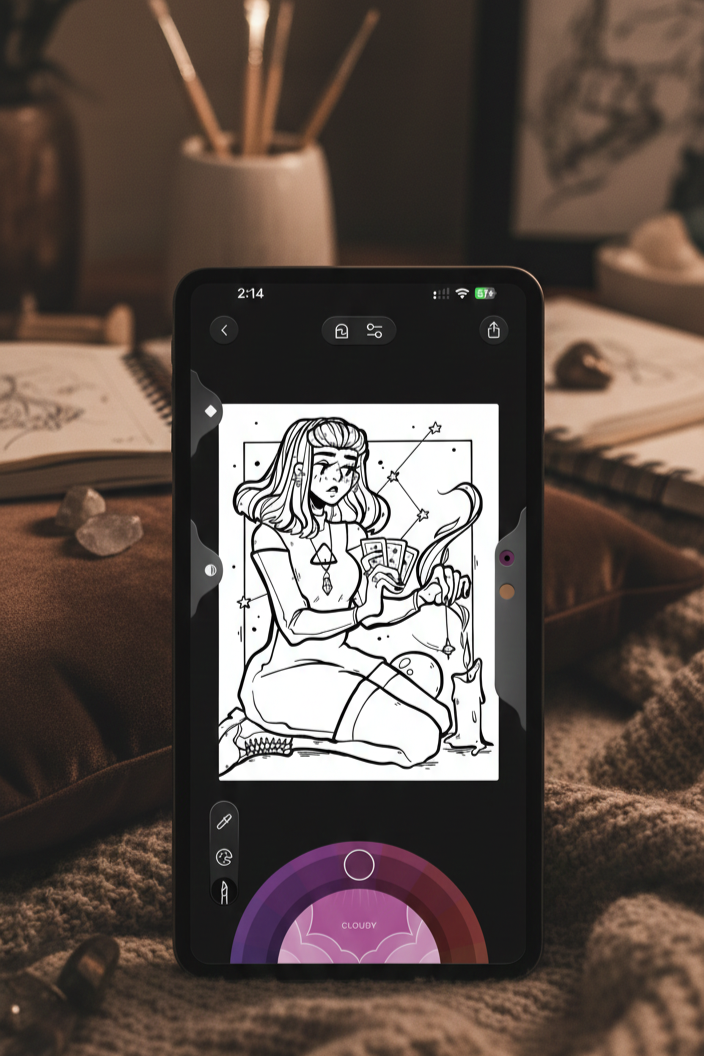
Lake: Coloring Book is crafted to be more than just a coloring app—it’s a tranquil, creative haven that merges coloring with wellness and community. The app centers on hand-drawn artwork from independent artists and promotes mindful creativity over quick, casual coloring. The interface is polished and inviting, and an in-app tutorial helps you familiarize yourself with the tools straight away.
What distinguishes Lake is its focus on quality and purposefulness. You’ll discover thoughtfully curated illustrations, realistic brush tools featuring shading and blending, and a comprehensive color system with over 700 shades, mood-based palettes, a color picker, and an eyedropper.
What Works Well
- Hand-drawn artwork. Every illustration is crafted by independent artists.
- Artist support. Subscriptions directly benefit the artists behind each piece.
- Robust brush tools. Realistic textures with size, opacity, shading, and blending adjustments.
- Video tutorials. Learn techniques rather than figuring things out on your own.
- Regular curated content. Monthly releases and Book of the Week challenges.
Things to Keep in Mind
- Highly limited free access. The free version functions more like a trial than a true free tier.
- Subscription necessary. The complete library and features sit behind a paywall.
- iOS exclusive. Not accessible on Android.
- Smaller library. Approximately 1,500 drawings—fewer than some competitors offer.
- Premium pricing. Costs more than standard coloring apps.
Bottom Line
Lake: Coloring Book stands apart with its artist-first philosophy and wellness-centered design. The artwork quality is exceptional, the tools feel polished, and features like ASMR sounds and mood palettes bring added depth to the experience. However, it’s unmistakably a premium app with very restricted free content and a more modest library, so it’s best suited for users who appreciate curated, intentional art and are willing to pay for it.
Best for: iOS users who want to support independent artists, adults looking for mindful or wellness-oriented coloring, people who favor quality over quantity, and users comfortable with premium subscriptions.
Skip if: You’re on Android, want substantial free content, prefer expansive libraries, or are cost-conscious about subscriptions.
5. Happy Color
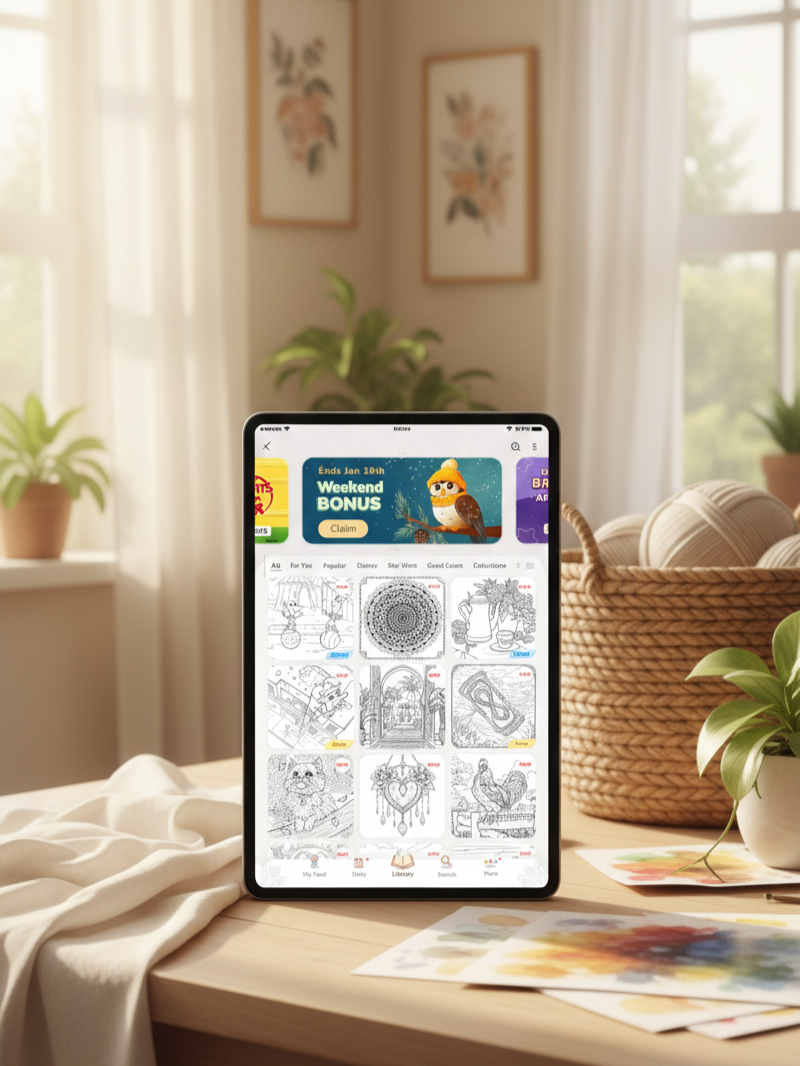
Happy Color is a paint-by-numbers app, which means you won’t be picking colors or making creative choices. Instead, you tap numbered spots on the screen, and the app fills them in with the corresponding color automatically. It features over 15,000 free designs spanning numerous categories, plus exclusive Disney and Marvel images and daily new pages to keep content fresh.
The challenge lies not in choosing colors but in locating all the tiny numbered areas, particularly in complex designs with hundreds of small sections. This level of intricacy keeps the app engaging and makes it more appropriate for adults, as it would likely be too detailed for younger children.
What Works Well
- Massive free content library. With 15,000+ designs, there’s no shortage of variety.
- Excellent zoom functionality. Crucial for locating tiny sections.
- Perfect for mindless unwinding. Great when you simply want to switch off.
- Manageable ad frequency. Ads are present but not excessive, and a one-time payment removes them entirely.
Things to Keep in Mind
- No color customization. You have to follow the assigned numbers.
- Growing AI-generated content. Some newer images appear lower in quality.
- Ads are included. Pop-ups show up between pictures more frequently than before.
Bottom Line
Happy Color provides simple, calming paint-by-numbers entertainment with zero creative pressure. The extensive library and smooth performance make it easy to get immersed. Just be aware of changes over time: more AI content and increased ads. Still, for casual, stress-free coloring, it does the job well.
Best for: Adults who want relaxing coloring without selecting colors or making artistic choices.
Skip if: You want creative control over your palette, or you’re put off by AI-generated content and ads.
6. InColor
InColor goes beyond typical color-by-number apps by offering complete freedom to select colors and paint any way you choose. It feels more like a genuine coloring and drawing application than a simple tap-to-fill experience. You’re actually painting, blending, and exploring, which makes it attractive to more creatively inclined users.
The app features an AI drawing generator that produces custom coloring pages based on your preferences, along with an active community where you can share your creations and browse artwork from other users. Freehand coloring is the central experience, with solid stylus support for intricate work. Color-by-number is offered, but only with a pro account, and certain features can be temporarily unlocked by viewing ads.
What Works Well
- Genuine creative freedom. You pick your own colors and paint however you wish. This makes the experience feel more like real art than paint-by-numbers.
- Stylus-optimized. Manages detailed stylus work smoothly.
- Engaged art community. Share your artwork and discover inspiration.
- Fewer ads than most free apps. Ads are there but relatively tolerable.
- Ad-based unlocks. Free users can access locked features by viewing ads.
Things to Keep in Mind
- Aggressive monetization. The free version regularly promotes upgrades.
- Core features behind a paywall. Color-by-number and advanced tools require a subscription or frequent ad viewing.
Bottom Line
InColor excels in creative control, realistic painting mechanics, and personalization through AI-generated pages. While it can be used for free, the experience includes ads and restricted features that make upgrading feel necessary. If you’re fine with ads or willing to pay for pro, InColor delivers a more artistic and versatile coloring experience than most apps.
Best for: Users who want complete color freedom, stylus users who enjoy detailed work, and artists seeking a social digital coloring platform.
Skip if: You want entirely free access without ads, or you prefer straightforward paint-by-number coloring without creative decisions.
7. Coloring Games: Color & Paint
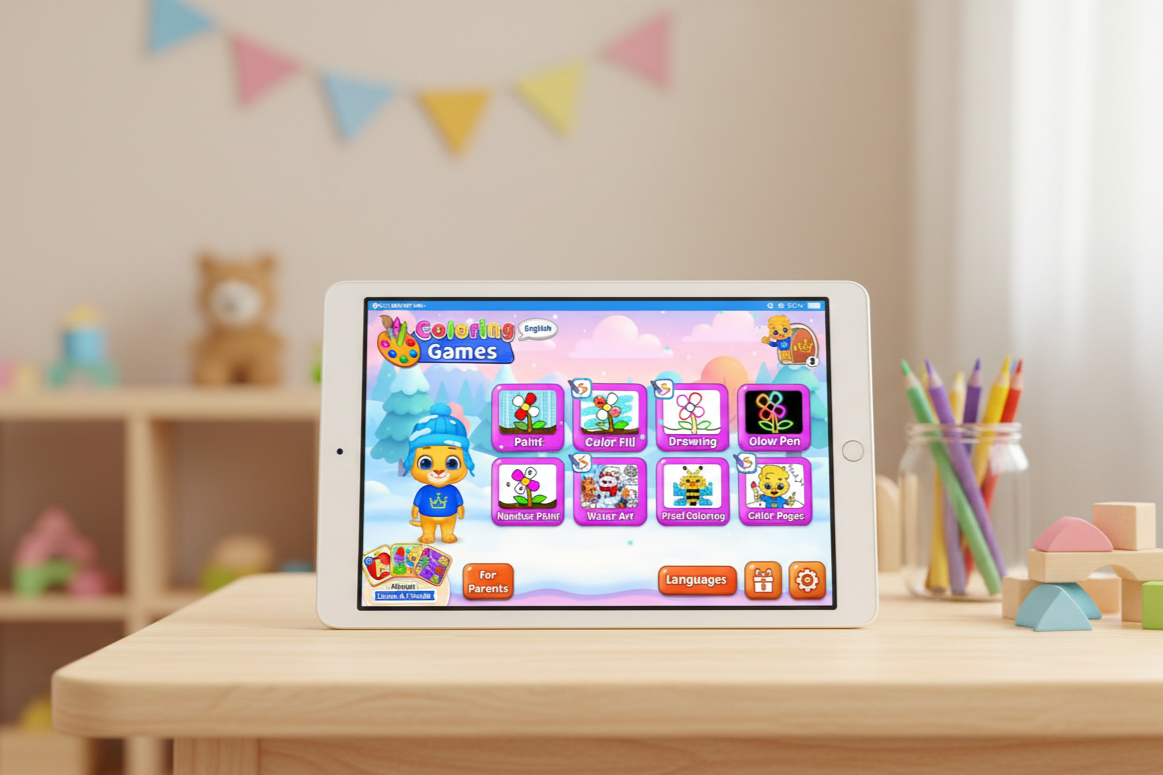
Coloring Games: Color & Paint is a coloring app designed specifically for young children. The interface is colorful, fun, and simple to navigate, with upbeat sound effects that hold kids’ attention as they color. Every aspect of the design feels purposeful and suitable for its young audience.
The app provides several straightforward ways to color. Kids can tap to fill sections, drag their finger to paint, draw freely with basic tools, or follow paint-by-number guides for structured coloring. The illustrations center on familiar subjects like animals, toys, and simple shapes, making them accessible and enjoyable for little hands. Once downloaded, the app functions entirely offline, so kids can color anywhere without requiring an internet connection.
What Works Well
- Completely ad-free. No interruptions or exposure to ads.
- No in-app purchases. All features are unlocked from the start.
- Educational value. Supports color recognition and fine motor skill development.
- Privacy-focused. Collects no user data and includes child-safe design choices.
- Multiple creative modes. Offers variety without overwhelming young users.
Things to Keep in Mind
- Exclusively kid-oriented. The playful aesthetic and sound effects are tailored for children, not adults.
- Deliberately simple artwork. Illustrations are intentionally straightforward rather than detailed or intricate.
Bottom Line
Coloring Games: Color & Paint offers a truly safe, ad-free, and fully unlocked coloring experience for children. It sidesteps common monetization pitfalls while still providing enough variety to keep kids entertained. Parents can confidently hand over a device without concerns about ads, purchases, or privacy matters.
Best for: Young children (preschool to early elementary), kids with special needs, and parents who prioritize privacy and ad-free apps.
Skip if: You want adult-oriented coloring, intricate designs, or advanced art tools.