
Lake: Coloring Book isn’t your typical coloring app. It’s designed as a calm, creative retreat—one that blends mindful coloring with wellbeing, community, and beautifully curated artwork from independent artists. Instead of fast, casual coloring, Lake focuses on intention and quality, offering hand-drawn illustrations, realistic brush tools, and an experience that feels more like a creative studio than a simple mobile app.
With features like mood-based palettes, shading and blending controls, video tutorials, and weekly challenges, it’s easy to see why Lake has become a favorite among iOS users looking for a more premium and meaningful way to unwind.
But while Lake sets the bar high with its artist-first approach and premium features, it’s not the only option out there. To help you find the best fit for your creative and well-being goals, we explored, tested, and ranked some of the top alternatives to Lake—comparing their artwork quality, accessibility, tools, and overall user experience.
1. ColoringHub
ColoringHub is a free, browser-based coloring site that keeps things straightforward and easy to reach. You can either download printable coloring sheets or color right in your browser with the built-in editor—no account, no registration, and no software to install.
The amount of content is notable. ColoringHub hosts 950+ articles, each averaging 100+ coloring pages, adding up to tens of thousands of free designs. That’s a breadth of options you seldom find, especially with no paywall!
Content is neatly divided into three primary sections: Kids, Kawaii, and Mandala & Patterns, so it’s simple to locate something that matches your taste or ability. Categories span animals and nature to holidays, florals, and many other collections.
The site runs on any modern browser. The in-browser coloring editor is currently best used on desktop, while mobile users can still browse and download printable PDFs with no trouble.
The Online Coloring Tool
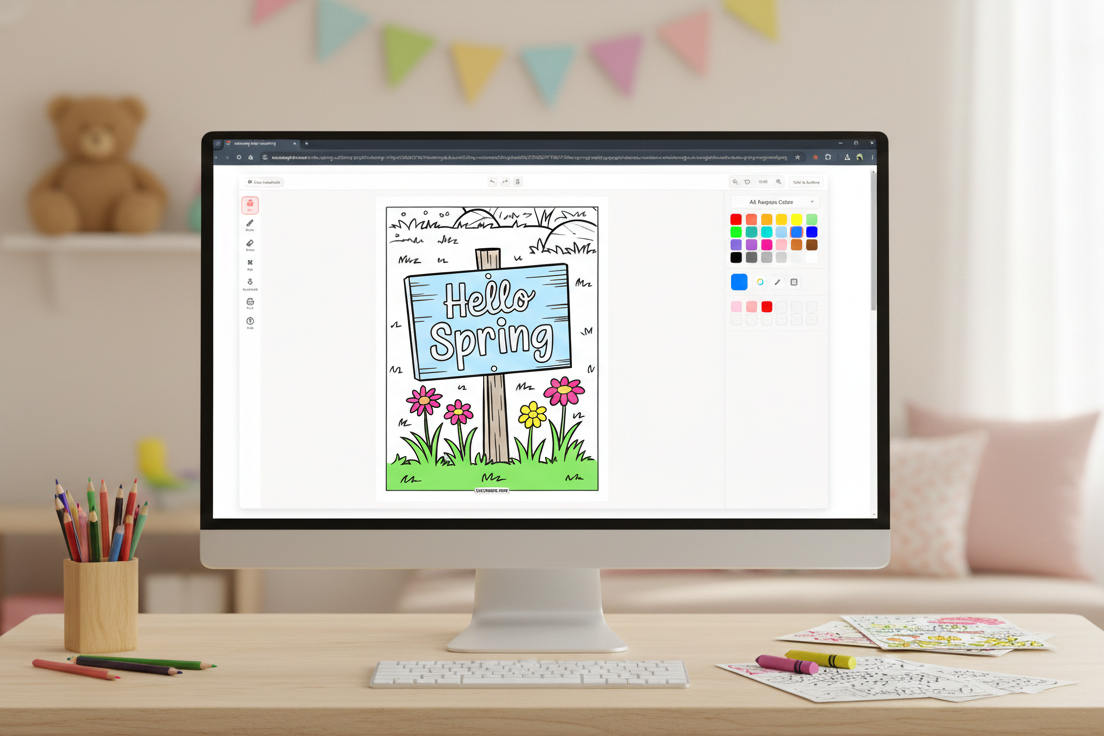
ColoringHub’s online editor is made to be simple and intuitive. The interface is uncluttered, with tools on the left, controls along the top, and color choices on the right, so everything feels organized and easy to find.
You’ll see core tools like a fill bucket, multiple brush types (brush, marker, splatter, highlighter, glitter), adjustable brush size and opacity, an eraser, pan and zoom controls, plus undo/redo. Completed pages can be downloaded or printed straight from the editor.
Color choices are impressively versatile for a free service. You can pick from preset palettes, create custom palettes, enter hex codes for exact hues, sample colors with an eyedropper, or hit the randomizer for quick ideas.
The tool is in Beta, and there’s a simple feedback option if you’d like to suggest improvements.
What Works Well
- Completely free access. No paywalls, subscriptions, or sign-ups needed.
- Huge content library. Tens of thousands of coloring pages across many styles and themes.
- Two coloring methods. Print at home or color digitally in your browser.
- Instant printable PDFs. Great for classrooms, families, and offline coloring.
- Straightforward yet capable tools. Multiple brushes with size and opacity controls.
- Smooth performance. Pages load fast and coloring feels responsive.
- Global-friendly. Multi-language support makes it usable worldwide.
Things to Keep in Mind
- Best for single-session coloring. The online editor doesn’t save progress yet, so it’s ideal when you can finish a sheet in one sitting.
- Desktop-optimized editor. Mobile users can browse and download easily, but the in-browser coloring experience is optimized for desktop.
- AI-assisted illustrations. All artwork is AI-generated, which may be relevant if you only want hand-drawn art.
- Ads underwrite the free service. You’ll encounter ads on the site, though they’re typically not intrusive.
- Active development. Since the tool is still in Beta, expect ongoing updates and refinements.
Bottom Line
ColoringHub stands out as an open, no-commitment source for free coloring material. With a massive library, instant printables, and a browser-based coloring editor, it provides a level of accessibility that’s hard to beat.
It’s particularly well-suited for quick coloring sessions, classroom use, or anyone who doesn’t want to install an app or create an account. While it won’t replace premium coloring apps with advanced features or cloud saving, that’s not its aim. Instead, it delivers a huge variety, ease of use, and solid value at no cost.
If you want free coloring pages with zero barriers, ColoringHub is an easy pick.
Best for: Free printable coloring pages, teachers and parents, browser-based coloring fans, quick one-session coloring, users who want instant access without accounts.
Skip if: You need progress saving, want mobile-first coloring tools, prefer exclusively hand-drawn artwork, or require advanced professional features.
2. Cozy Cottage Coloring: Chroma
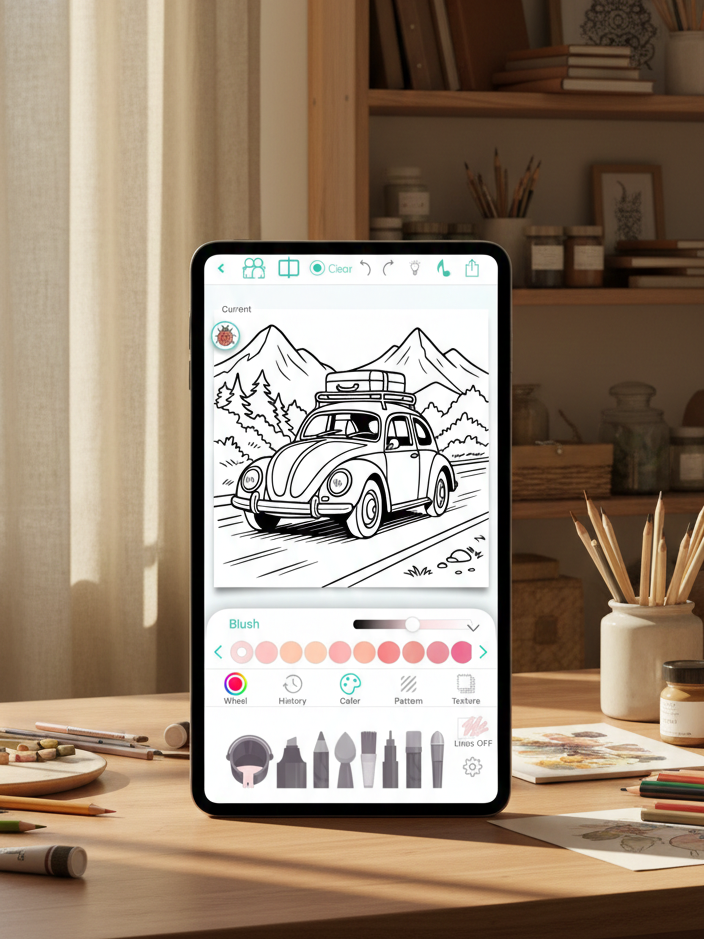
Chroma is a sleek, professional coloring app made for adults who want finer control and richer tools. You can work stroke-by-stroke with lifelike pencils, markers, brushes, and watercolor, or opt for tap-to-fill when you want speed. Everything is deliberately designed to make digital coloring feel more like working with real materials.
The app includes thousands of pages across familiar themes such as mandalas, florals, animals, fantasy, and portraits. You can also create custom pages with AI, convert photos into line art, color together with a friend in real time, and export a short time-lapse that replays your entire coloring session.
What Works Well
- High-quality tools. Brushes offer authentic textures with adjustable thickness and opacity, so strokes feel organic rather than flat.
- Creative freedom. Work inside the lines or go freestyle, with gradients, textures, a full color wheel, and handpicked palettes.
- Time-lapse capture. Easily save and share a short video of your coloring process.
- Buddy coloring. Collaborate on the same page live with another user.
- Community sharing. Upload your pieces to the Chroma Gallery and engage with other creators.
- Apple Pencil support. Precise, fluid performance on iPad.
Things to Keep in Mind
- No free access. The app requires payment up front—there’s no trial or limited free tier.
- iOS only. Chroma isn’t available for Android.
- Some AI-generated art. Not every illustration is hand-drawn, which may be a downside for purists.
Bottom Line
Chroma distinguishes itself with pro-grade tools, tactile-feeling textures, and social features like live collaboration and time-lapse replays. The lack of a free trial is a drawback, but many users find the quality worth the cost.
Best for: iOS users, Apple Pencil owners, adults seeking premium coloring tools, and people who enjoy collaborative or social coloring.
Skip if: You want to try before buying, use Android, prefer free/freemium apps, or are on a tight budget.
3. Adult Coloring Book – Pigment
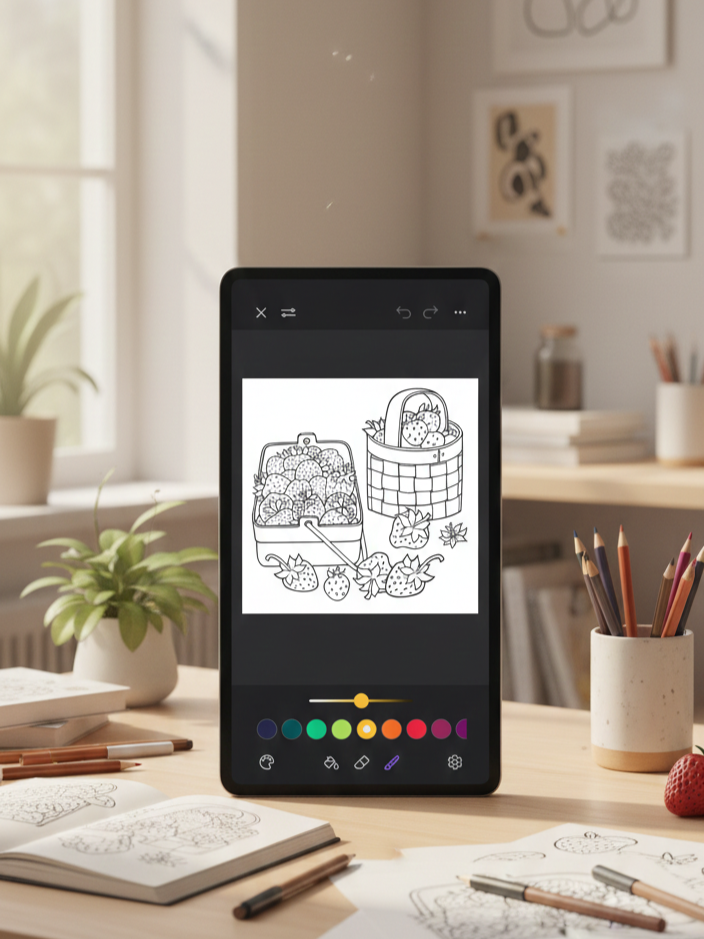
Pigment is praised for its remarkably true-to-life pencil, marker, and brush simulations, delivering one of the most authentic digital equivalents of traditional coloring. It’s aimed at adults who want a more tactile, art-focused experience.
The app provides access to more than 10,000 professionally illustrated, hand-drawn pages created by independent artists, with fresh content added daily. You can color in different modes: tap-to-fill for quick work, freehand for full artistic control, automatic for neat edges, and an advanced mode for precision. Pigment also offers a short in-app tutorial to help new users get up to speed quickly.
What Works Well
- Extremely realistic tools. Pencil, marker, and brush strokes look and react like actual art supplies.
- Vast content library. Over 10,000 pages with daily updates.
- Hand-drawn illustrations. Pages come from independent artists rather than generic auto-generated designs.
- Multiple coloring modes. Options range from quick automatic fills to fine-grained advanced controls.
- Active community. Share creations and find tutorials in the Pigment Gallery.
- Apple Pencil support. Smooth performance with pressure and tilt sensitivity.
- Easy beginner tutorial. Short, useful, and not overwhelming.
Things to Keep in Mind
- Limited free options. Many brushes are reserved for premium subscribers.
- Color features behind a paywall. Full color wheels and custom palettes aren’t available to free users.
- Strong premium emphasis. The free tier can feel constrained.
- iOS only. There’s no Android version.
- Auto-renewing trial. The free trial rolls into a paid subscription unless canceled.
Bottom Line
Pigment lives up to its reputation with ultra-realistic tools, a massive hand-drawn library, and features aimed at serious colorists. That said, a lot of the best functionality is gated by a subscription, which can leave free users feeling limited and casual colorists balking at the cost. If you color frequently and value lifelike tools, the premium plan is worth considering; occasional users may struggle to justify the expense.
Best for: iOS users committed to digital coloring, Apple Pencil owners, adults seeking realistic traditional-media simulation, and those willing to pay for premium tools.
Skip if: You’re on Android, want full functionality without paying, color only occasionally, dislike subscriptions, or prefer entirely free apps.
4. Happy Color
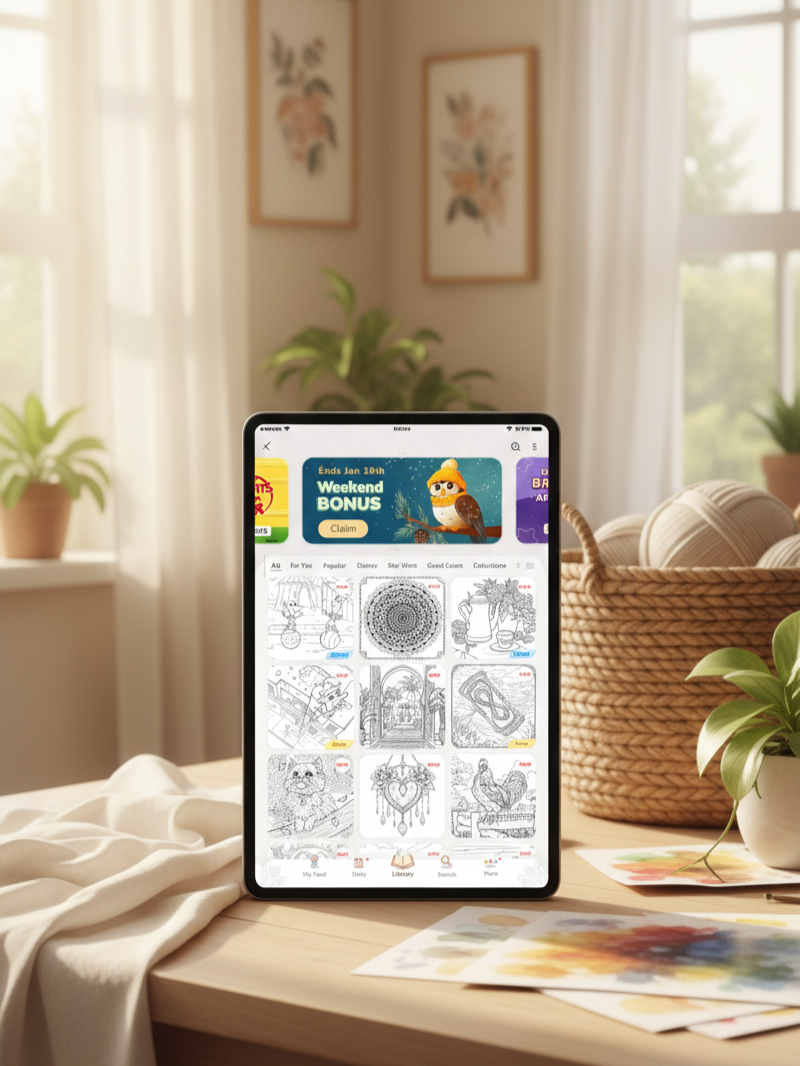
Happy Color is a paint-by-numbers app — so you won’t be selecting colors or making artistic calls. Instead, you tap numbered areas, and the app automatically fills them with the matching shade. It offers more than 15,000 free designs across numerous categories, plus exclusive Disney and Marvel collections and daily new pages to keep the selection fresh.
The challenge isn’t picking hues but finding every tiny numbered cell — especially in highly detailed images that contain hundreds of minuscule sections. That level of intricacy keeps things absorbing and generally makes the app better suited to adults, since many pictures would likely be too fiddly for young kids.
What Works Well
- Huge free library. With 15,000+ designs, variety isn’t an issue.
- Powerful zoom. Makes locating tiny sections much easier.
- Effortless relaxation. Great for unwinding without having to think about color choices.
- Ads are tolerable. They’re present but not overly disruptive, and a one-time purchase removes them.
Things to Keep in Mind
- No palette control. Colors are preassigned, so you follow the numbers.
- Increasing AI content. Some recent additions can feel less refined.
- More ads lately. Pop-ups between pages are more frequent than before.
Bottom Line
Happy Color delivers simple, soothing paint-by-numbers entertainment with zero creative pressure. Its massive catalog and smooth gameplay make it easy to lose track of time. Just note that the app has gradually leaned into more AI artwork and heavier advertising. For casual, low-effort coloring, it’s still a dependable pick.
Best for: Adults who want relaxing coloring without choosing colors or making artistic decisions.
Skip if: You want full creative control, are sensitive to AI-generated art, or dislike frequent ads.
5. InColor
InColor goes further than basic color-by-number apps by letting you pick your own colors and paint freely. It behaves more like a full-featured coloring and drawing app than a simple tap-to-fill tool. You’re actually painting, blending, and experimenting — which makes it a better fit for creative users.
The app includes an AI page generator that makes custom coloring sheets from your prompts, plus a lively community where you can post your work and browse others’ art. Freehand painting is the main focus, with solid stylus support for fine detail. Color-by-number exists, but it’s limited to pro subscribers, and some locked features can be temporarily opened by watching ads.
What Works Well
- Genuine creative freedom. You pick colors and paint however you like, so it feels more like real art than paint-by-numbers.
- Stylus-ready. Smooth handling for detailed work with a stylus.
- Active community. Share pieces and find inspiration from other users.
- Lighter ad load. Fewer ads than many free apps.
- Ad-based feature access. Watch ads to unlock certain features temporarily.
Things to Keep in Mind
- Heavy monetization. The free version often pushes upgrades.
- Important features paywalled. Color-by-number and advanced tools require a subscription or repeated ad viewing.
Bottom Line
InColor stands out for its artistic freedom, convincing painting mechanics, and customization through AI-generated pages. You can use it for free, but ads and locked features make upgrading feel likely. If you don’t mind ads or plan to pay for pro, InColor offers a more expressive, flexible coloring experience than most paint-by-number apps.
Best for: People who want full color freedom, stylus users who do detailed work, and artists seeking a social digital coloring space.
Skip if: You want entirely free, ad-free access, or you prefer simple, no-frills paint-by-number coloring.
6. Color Pop
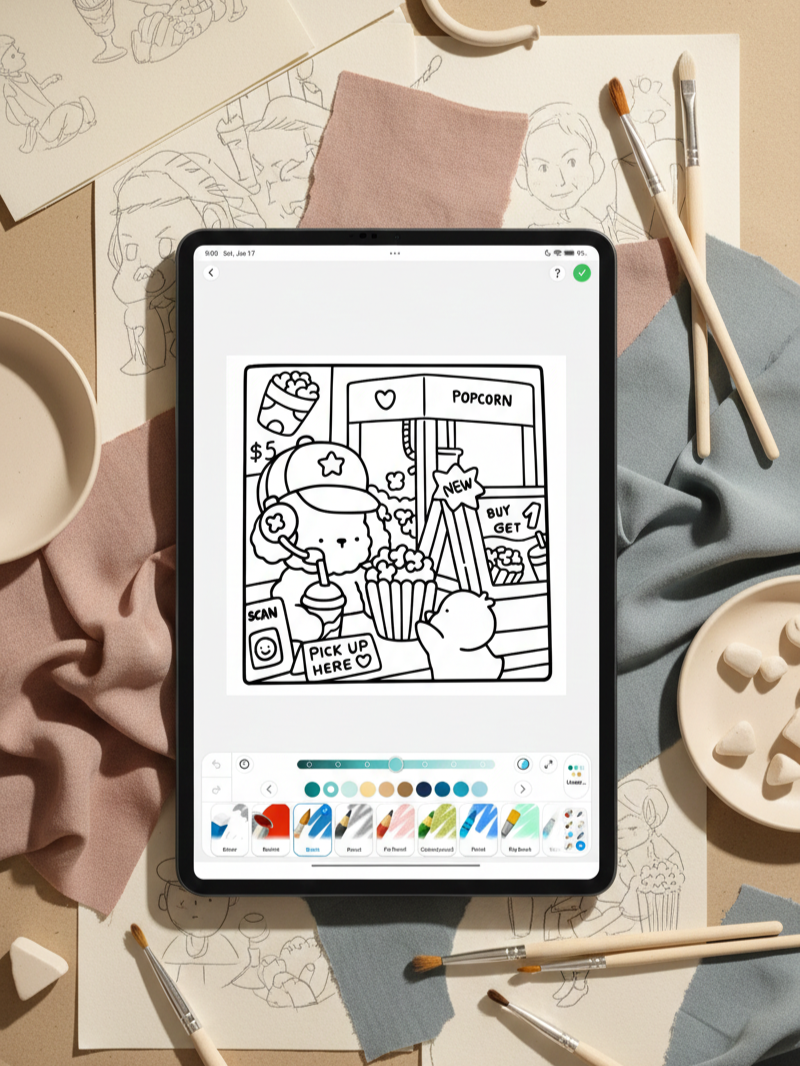
Color Pop leans toward a more artistic experience. Instead of relying on tap-to-fill, it delivers authentic painting mechanics with tools such as watercolor, oil, and blending brushes. The overall feel is closer to digital art than casual coloring—especially if you enjoy playing with textures and different techniques.
What Works Well
- Advanced painting tools. Watercolor, oil, and blend brushes give you meaningful creative control.
- Large content library. A wide selection of pages and categories to browse.
- AI-generated pages. Spawn custom coloring sheets on demand.
- Freehand drawing. Create original artwork, not just colored versions of existing pages.
- Community features. Share pieces and discover inspiration from other users.
- Line lock. Useful for both precise fills and looser painting styles.
- Smooth interface. Polished, clean, and easy to navigate.
Things to Keep in Mind
- Subscription required. The app needs a paid subscription—there’s no fully free tier.
- Ads in trial. The free trial includes fairly frequent ads.
Bottom Line
Color Pop stands out for its painting-oriented toolset, AI page generation, and creative flexibility that goes beyond standard coloring apps. It’s best for people who enjoy digital art and don’t mind paying for continued access.
Best for: Adults who want advanced painting and coloring tools, users interested in AI-generated pages, and those comfortable with subscription apps.
Skip if: You want a free experience, dislike ads or subscriptions, or prefer simple tap-to-fill coloring.
7. Coloring Games: Color & Paint
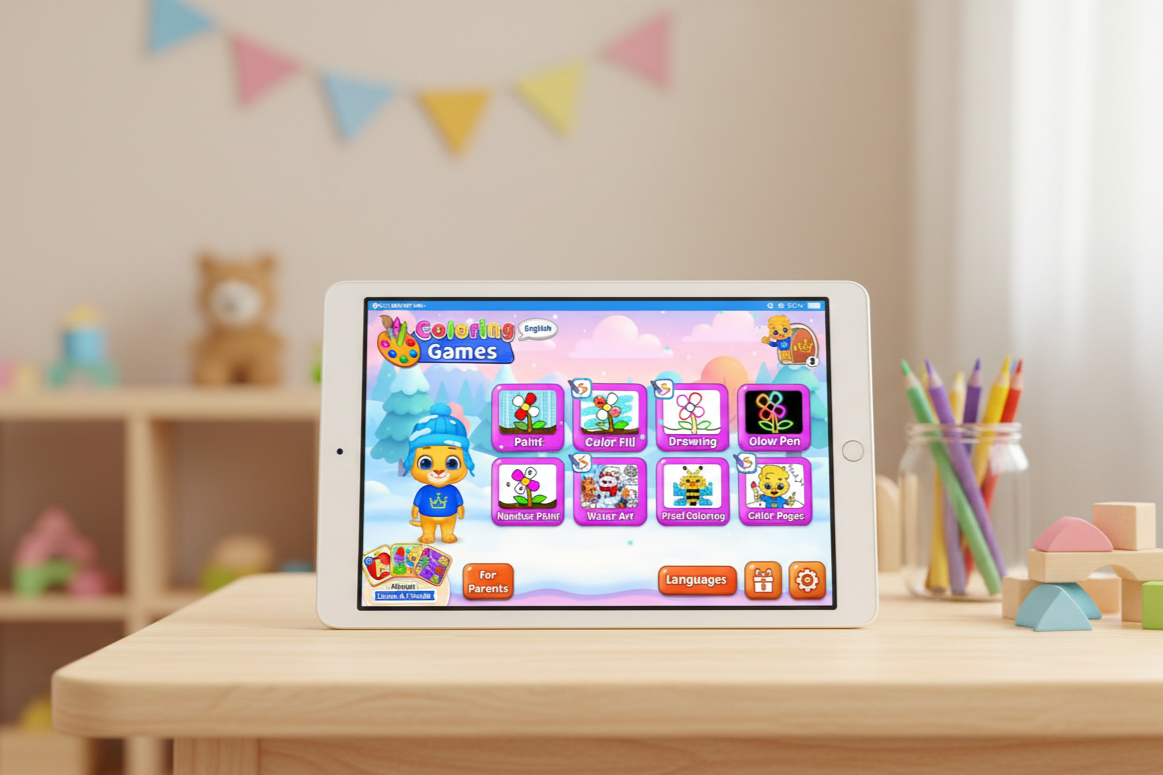
Coloring Games: Color & Paint is built specifically for little kids. The app’s look is colorful, playful, and straightforward, with fun sound effects that encourage children as they color. Every design choice feels purposeful and suited to young users.
The app provides several easy ways to color. Children can tap to fill shapes, drag to paint, doodle freely with simple tools, or follow paint-by-number prompts for guided results. Artwork focuses on familiar themes like animals, toys, and basic shapes, which are perfect for small hands. Once downloaded, the app runs fully offline, so kids can color without an internet connection.
What Works Well
- Totally ad-free. No interruptions or accidental ad clicks.
- No in-app purchases. Everything is available from the start.
- Educational benefits. Helps with color recognition and fine motor skills.
- Privacy-first. Doesn’t collect user data and uses kid-safe design choices.
- Multiple creative modes. Offers variety without overwhelming children.
Things to Keep in Mind
- Strictly kid-oriented. The bright style and sound design are meant for children, not adults.
- Simple artwork by design. Artwork is deliberately basic rather than intricate.
Bottom Line
Coloring Games: Color & Paint provides a genuinely safe, ad-free, and fully unlocked coloring experience for kids. It avoids common monetization pitfalls while still delivering enough variety to keep children entertained. Parents can confidently hand over a device knowing there are no ads, purchases, or privacy concerns.
Best for: Young children (preschool to early elementary), kids with special needs, and parents who value privacy and ad-free apps.
Skip if: You want adult-focused coloring, detailed designs, or advanced art tools.